
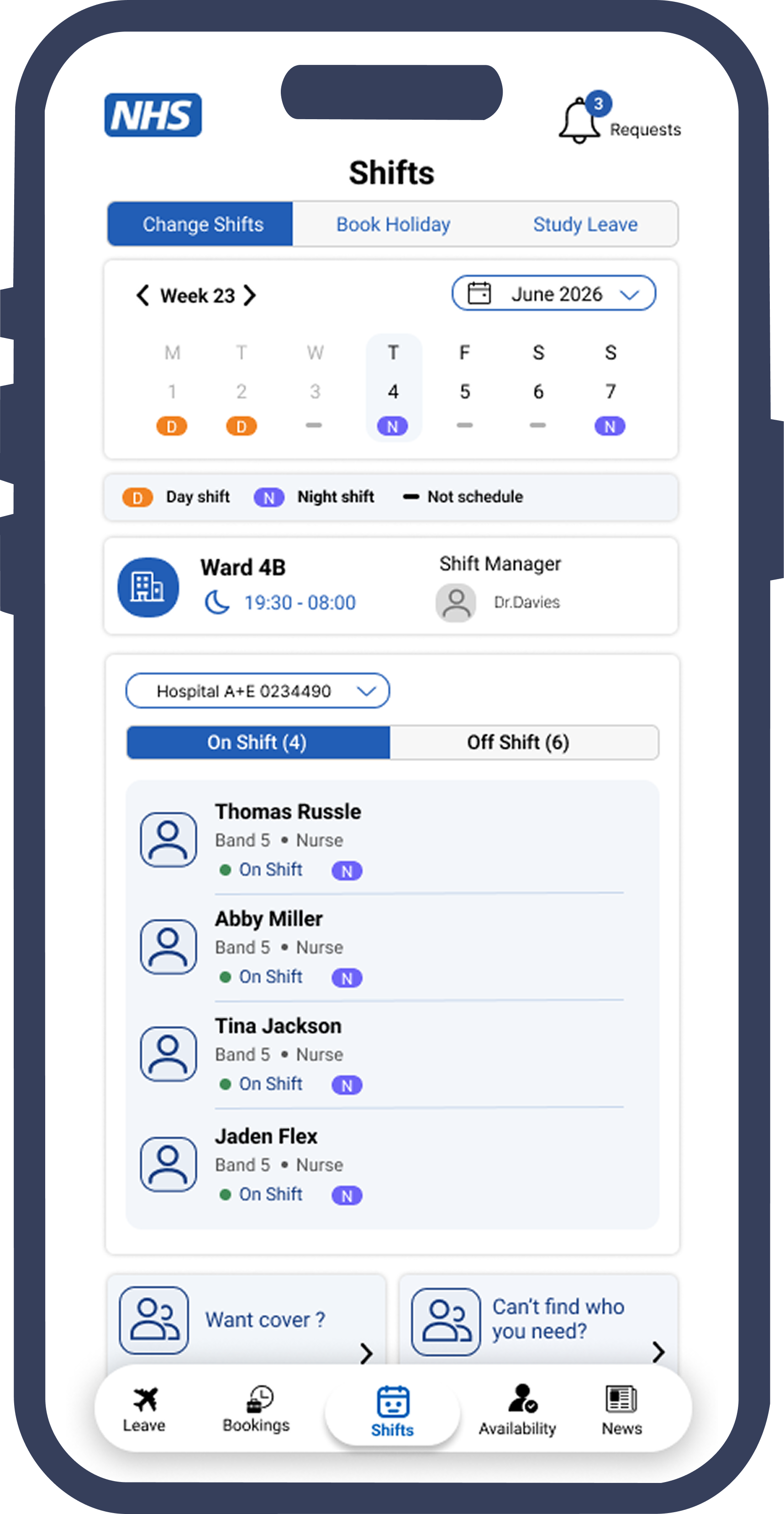
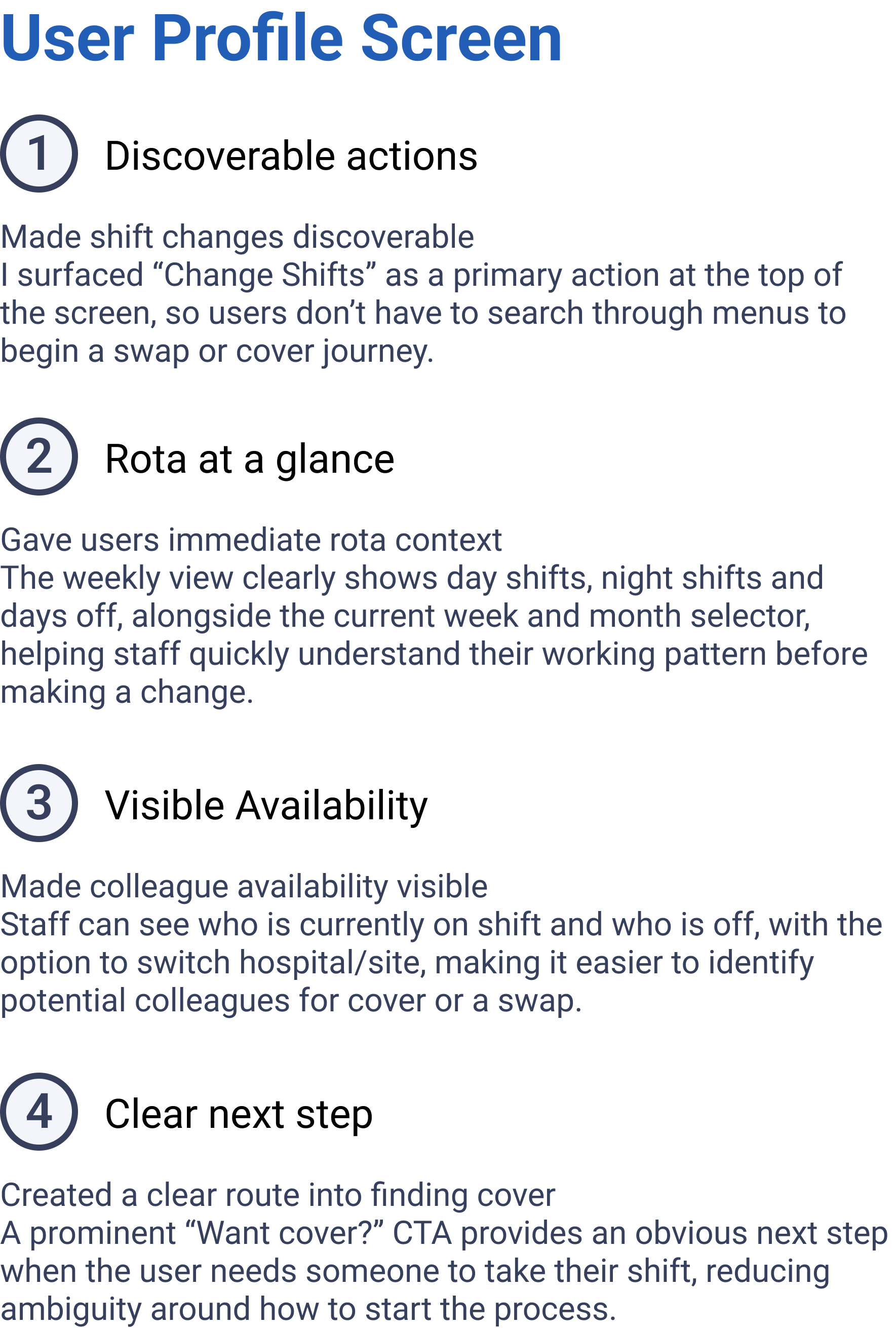
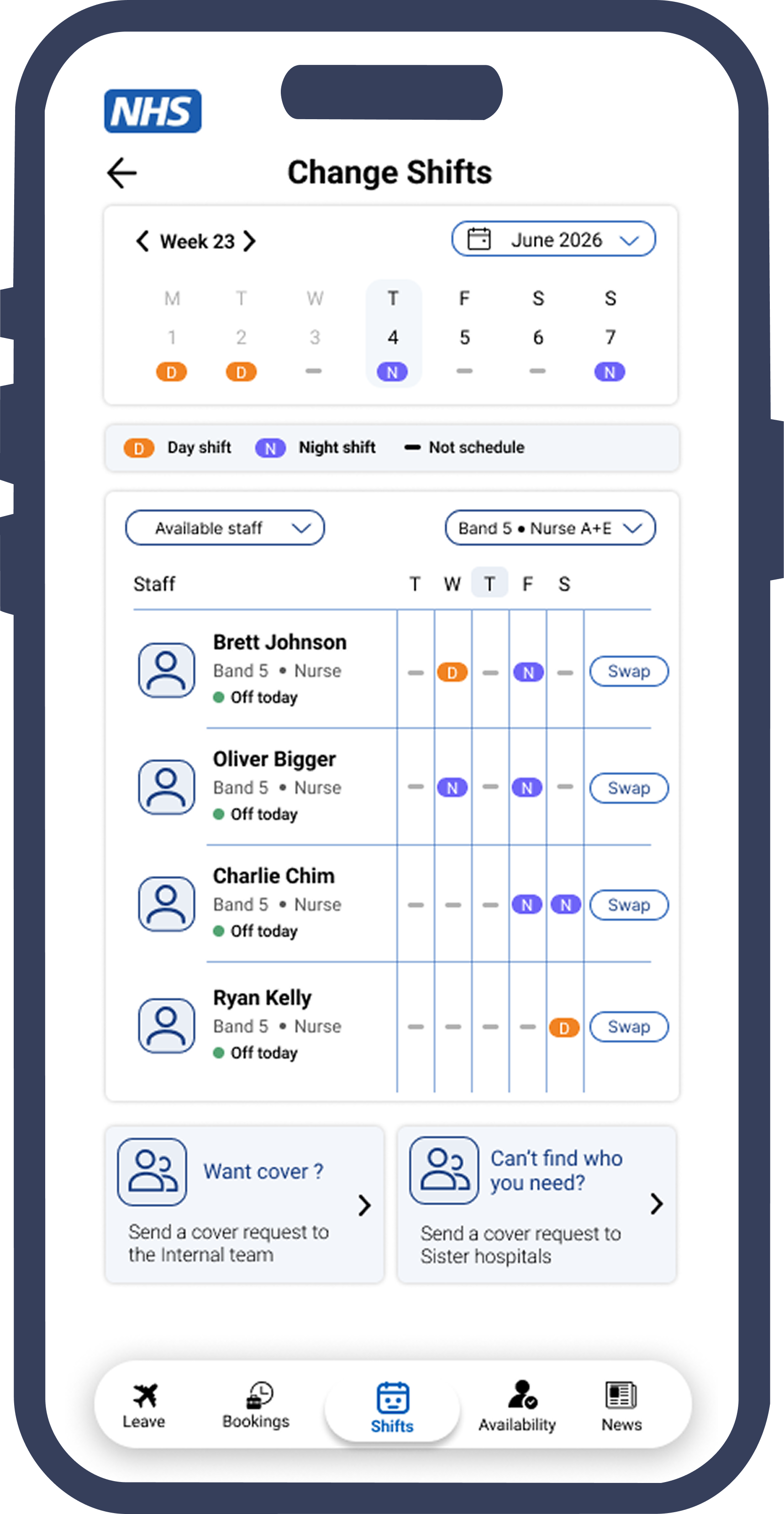
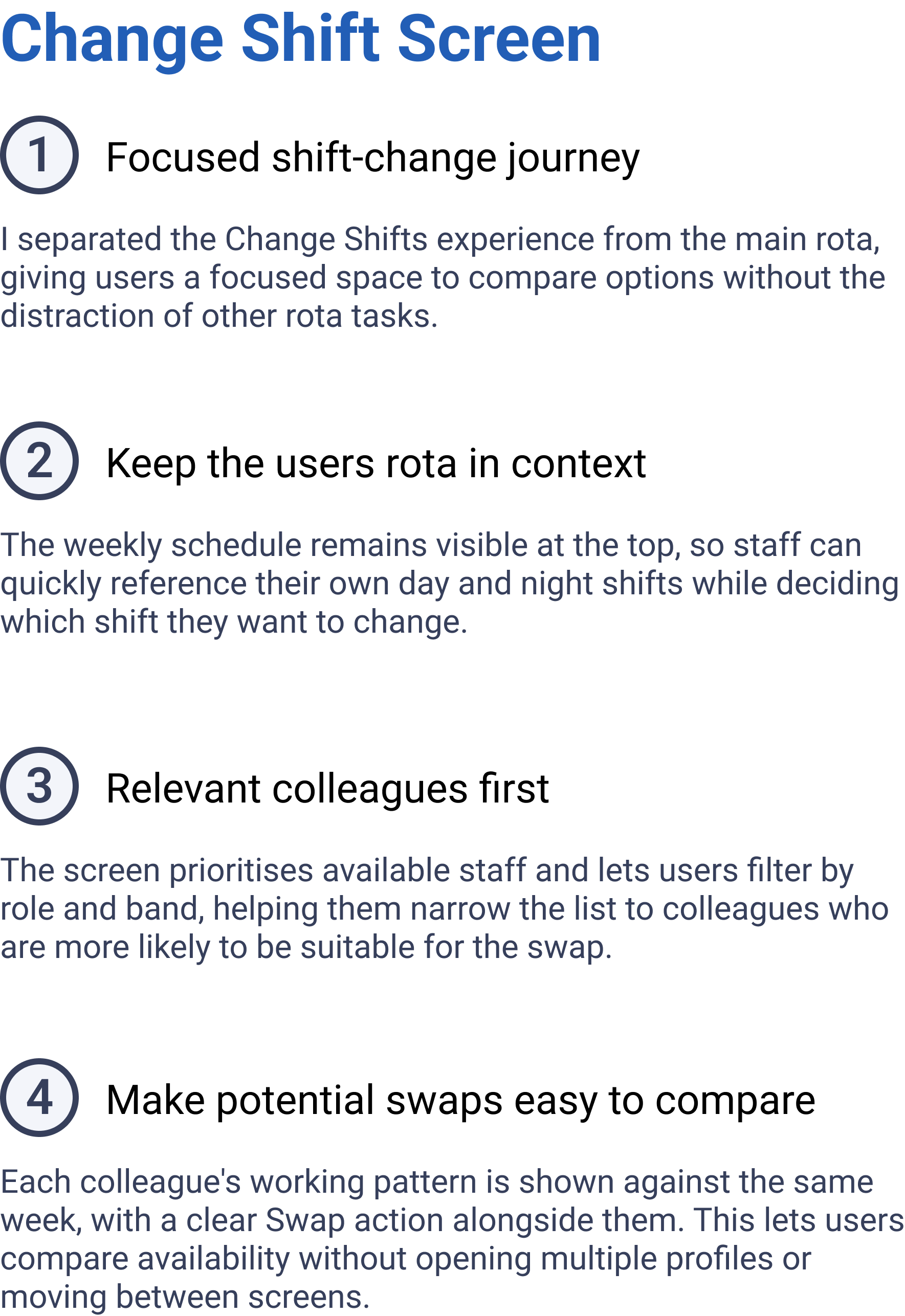
Visual design language
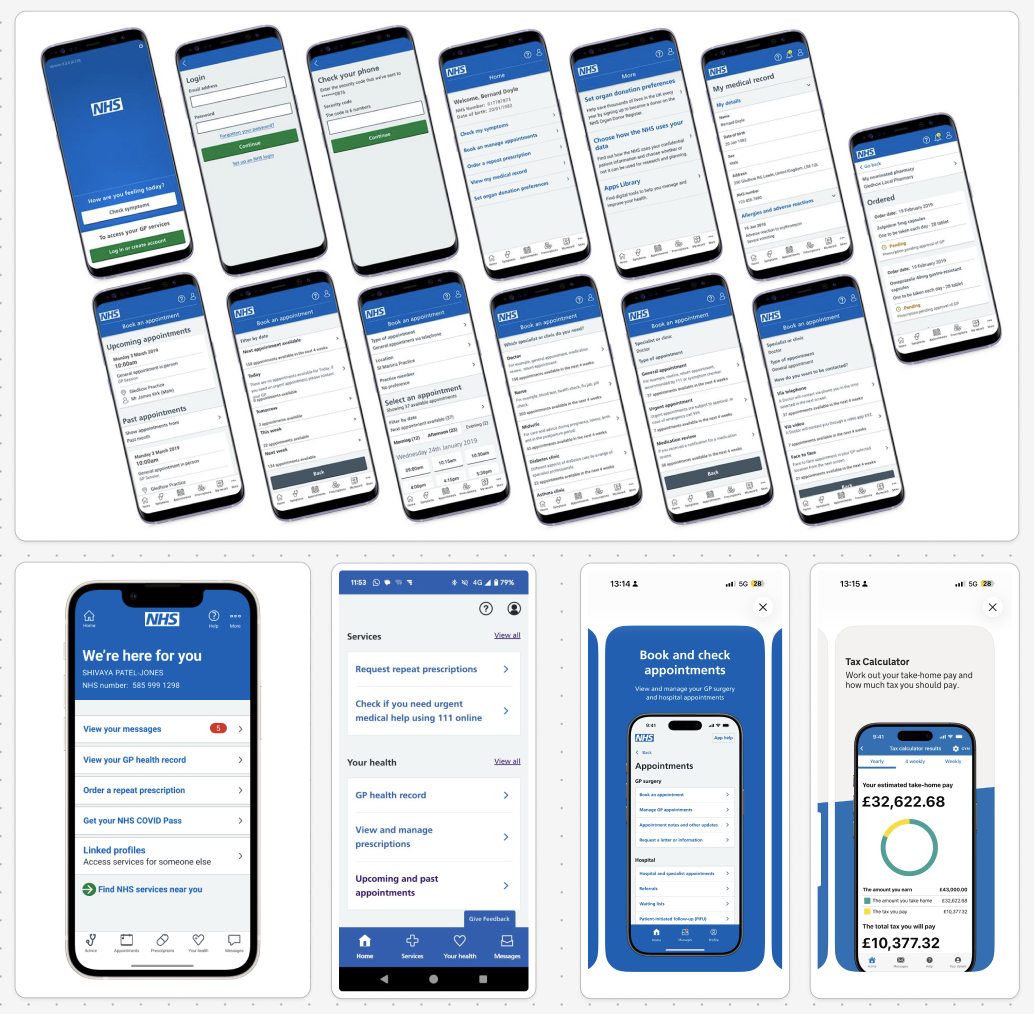
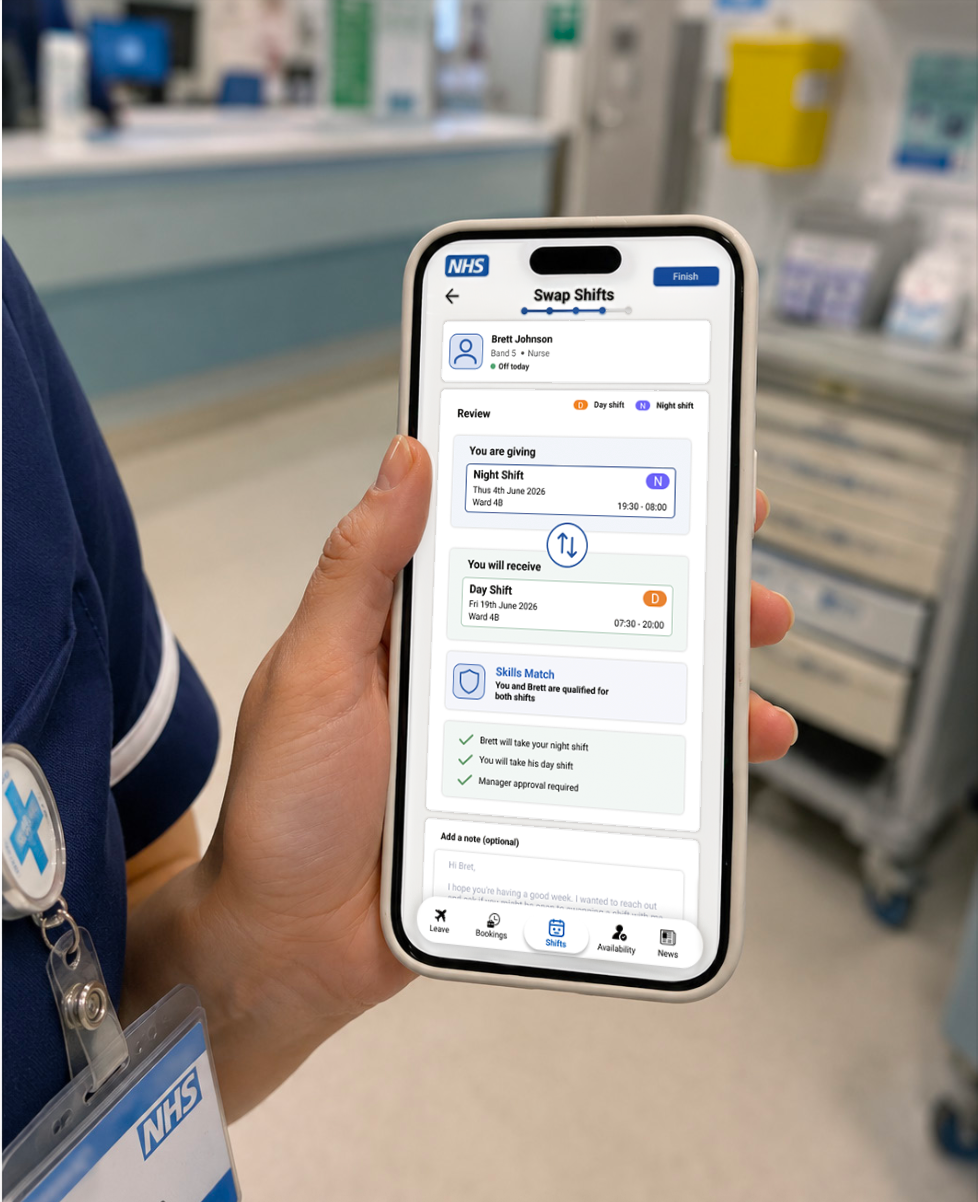
The redesigned interface uses an NHS-inspired colour palette to create a calmer, more familiar healthcare experience. NHS Blue is used as the primary colour for key actions, selected states, navigation, and important interface highlights.
Supporting colours are used more sparingly to help users distinguish between shift types and system states. For example, day shifts, night shifts, approval states, and availability indicators should be clearly differentiated without making the interface feel visually busy.
The overall direction is cleaner, more clinical, and more trustworthy, moving away from high-energy brand colours towards a design language that feels appropriate for healthcare staff using the app during busy shifts.
Accessibility considerations
The design keeps accessibility at the centre of the mobile experience through:
Large touch targets for quick use on shift
Clear spacing between cards, buttons, and staff rows
Strong contrast between text, actions, and backgrounds
Simple labels supported by icons and status chips
Clear visual hierarchy for shift details, staff availability, and approval status
Reduced visual noise to support users working under pressure
This helps make the shift swap and cover request journey easier to scan, understand, and complete quickly.
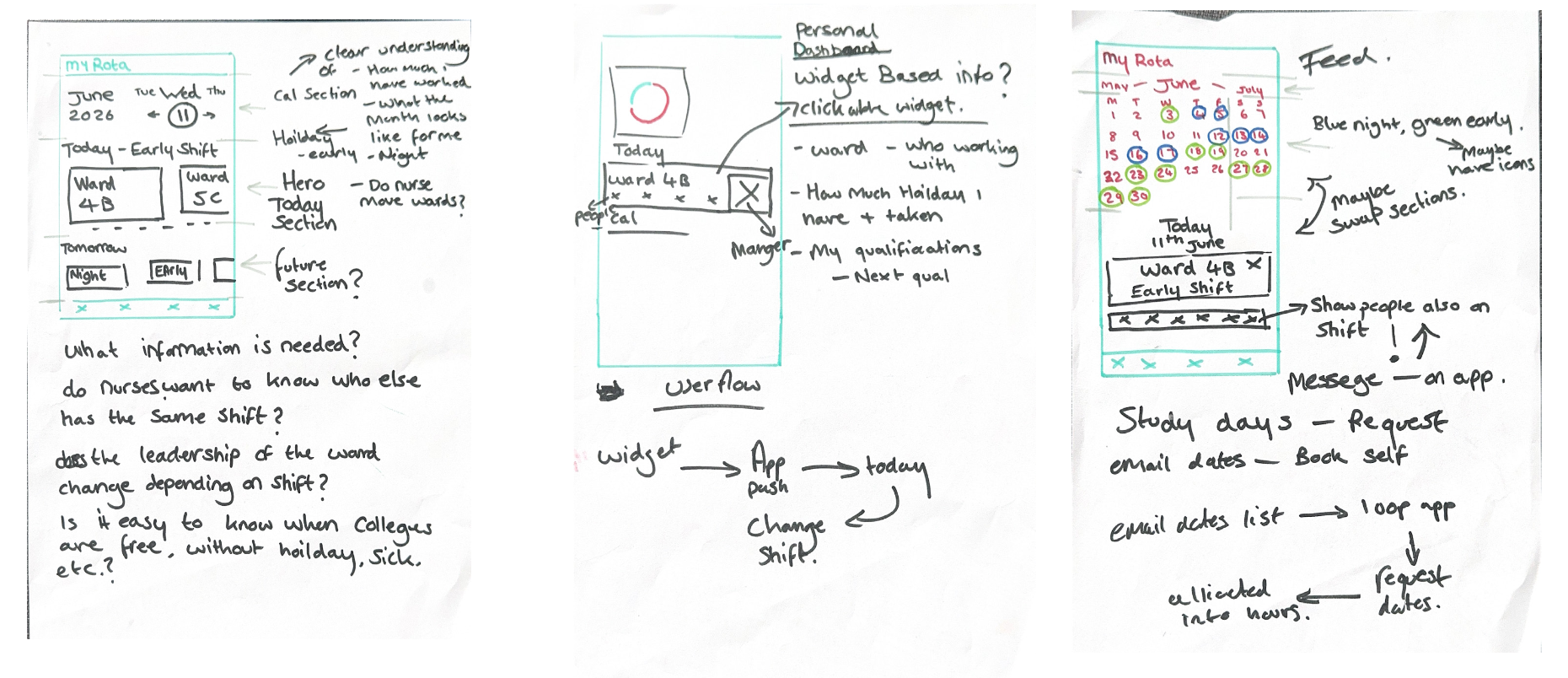
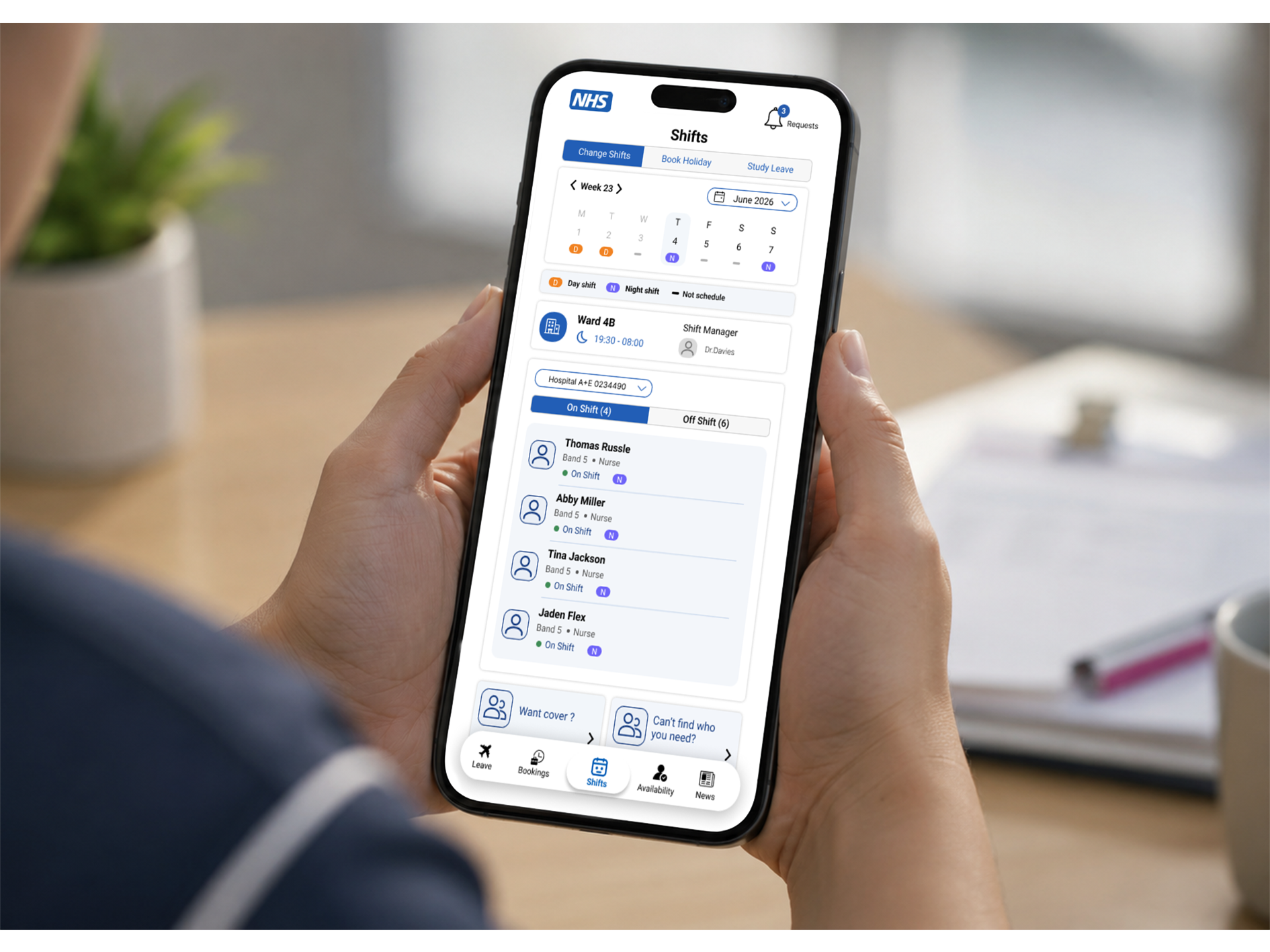
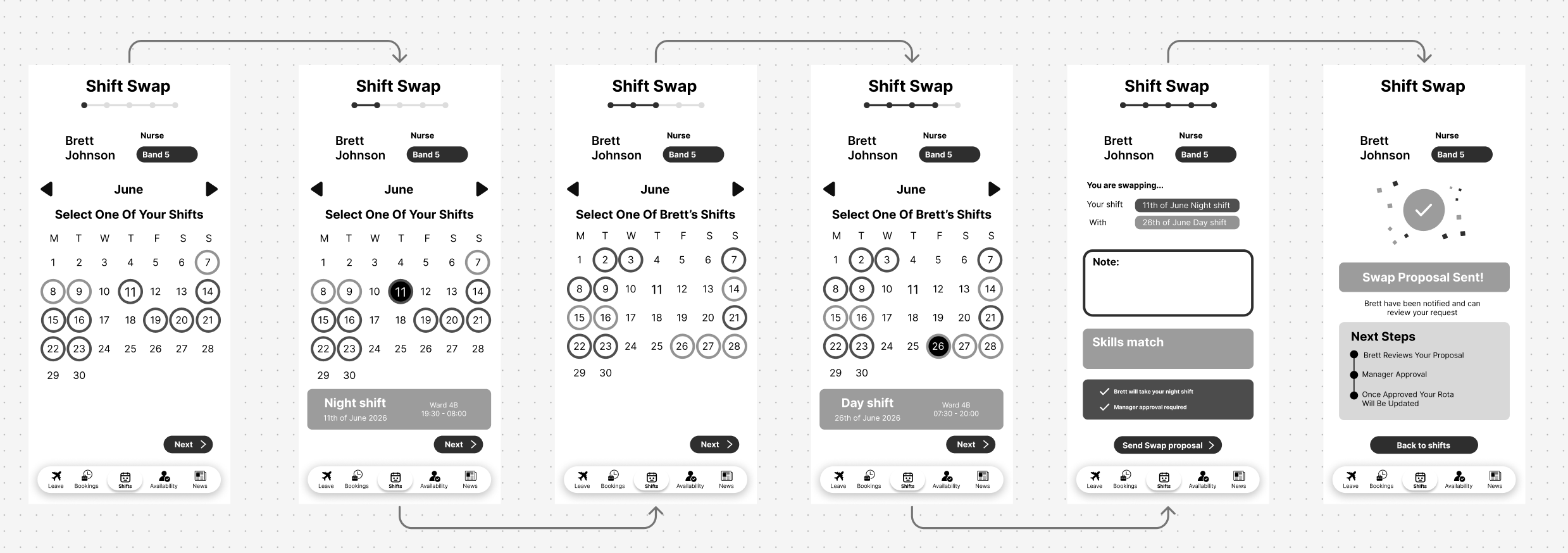
I began by sketching multiple approaches to shift swapping and cover requests to explore how staff might naturally navigate the experience. These early concepts focused on making team availability visible, helping users quickly identify who was on shift, off shift, and potentially available to provide cover. Working in greyscale allowed me to focus on information hierarchy, interaction patterns, and workflow structure before introducing visual design. This exploration ultimately led to a staffing feed concept that prioritises people and availability, making it easier for staff to find suitable colleagues and initiate shift changes with minimal effort.
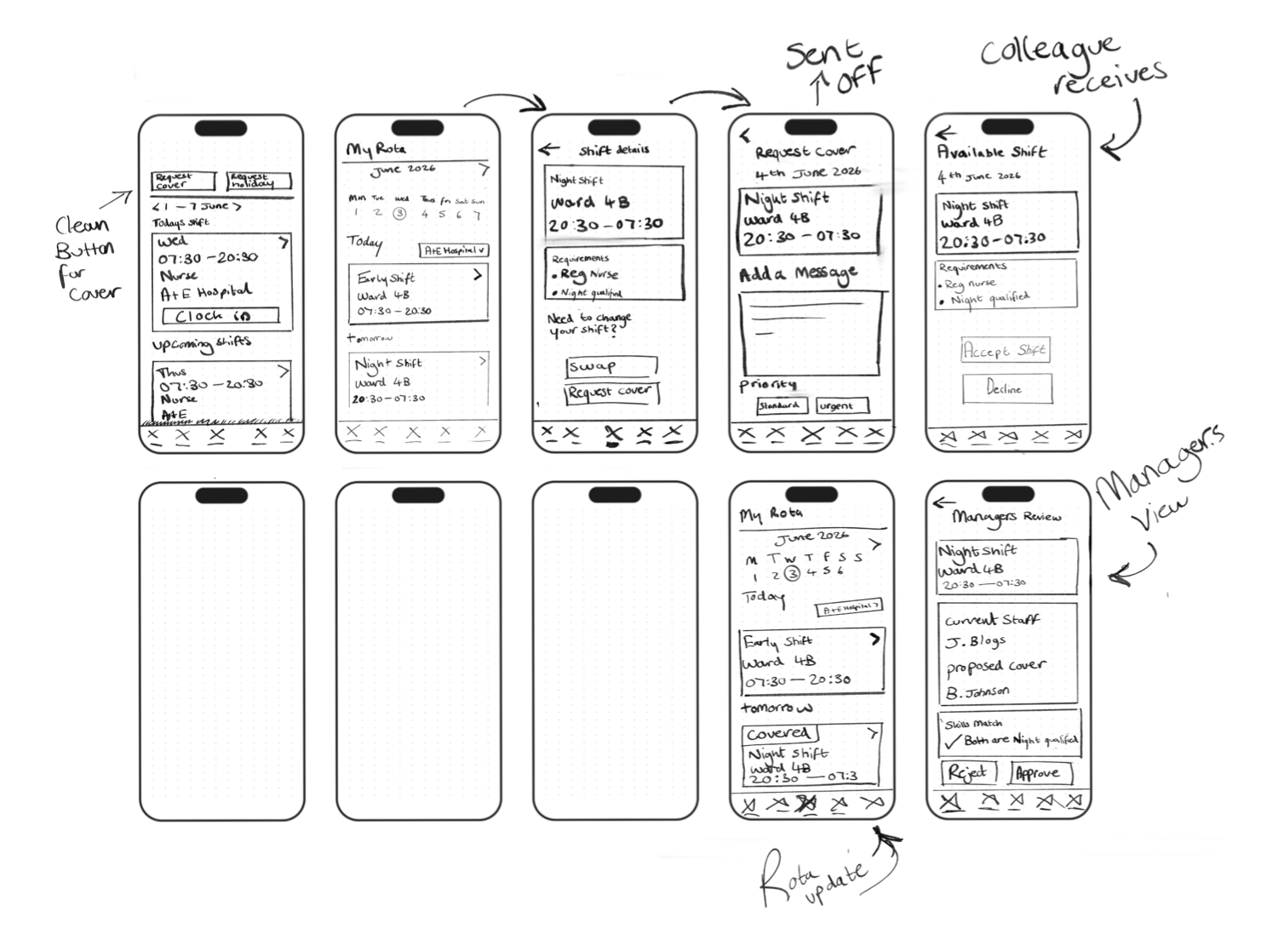
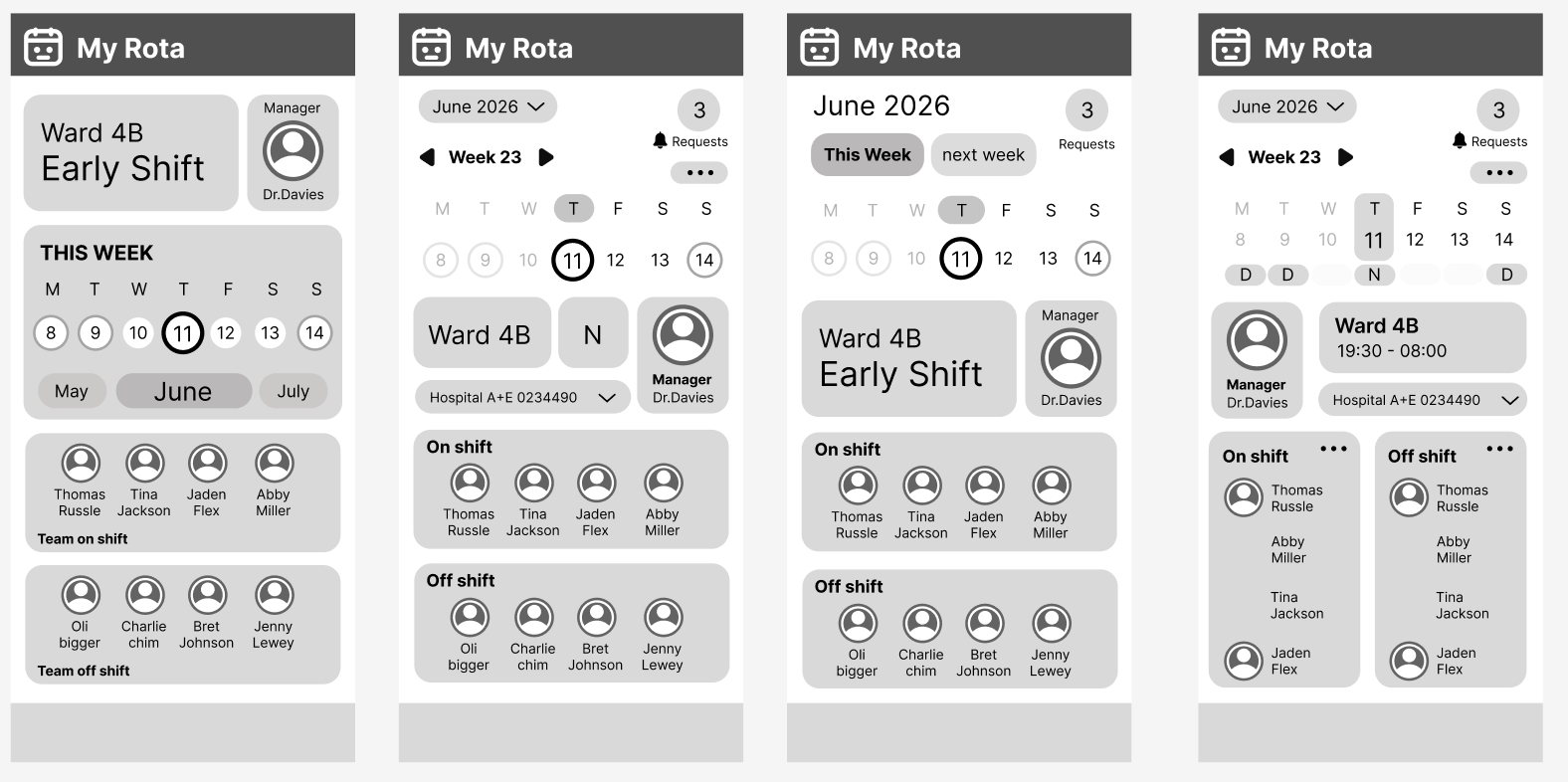
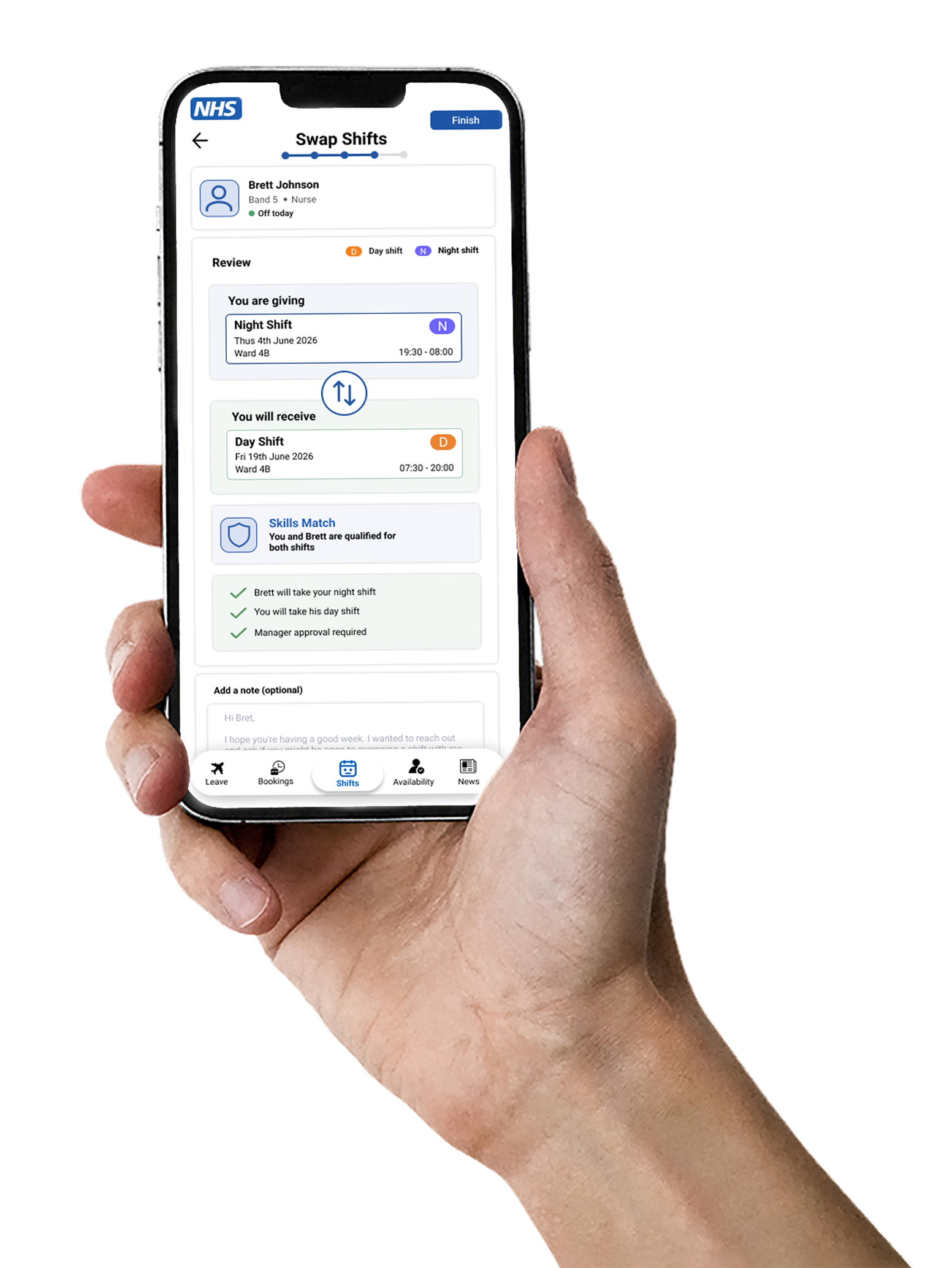
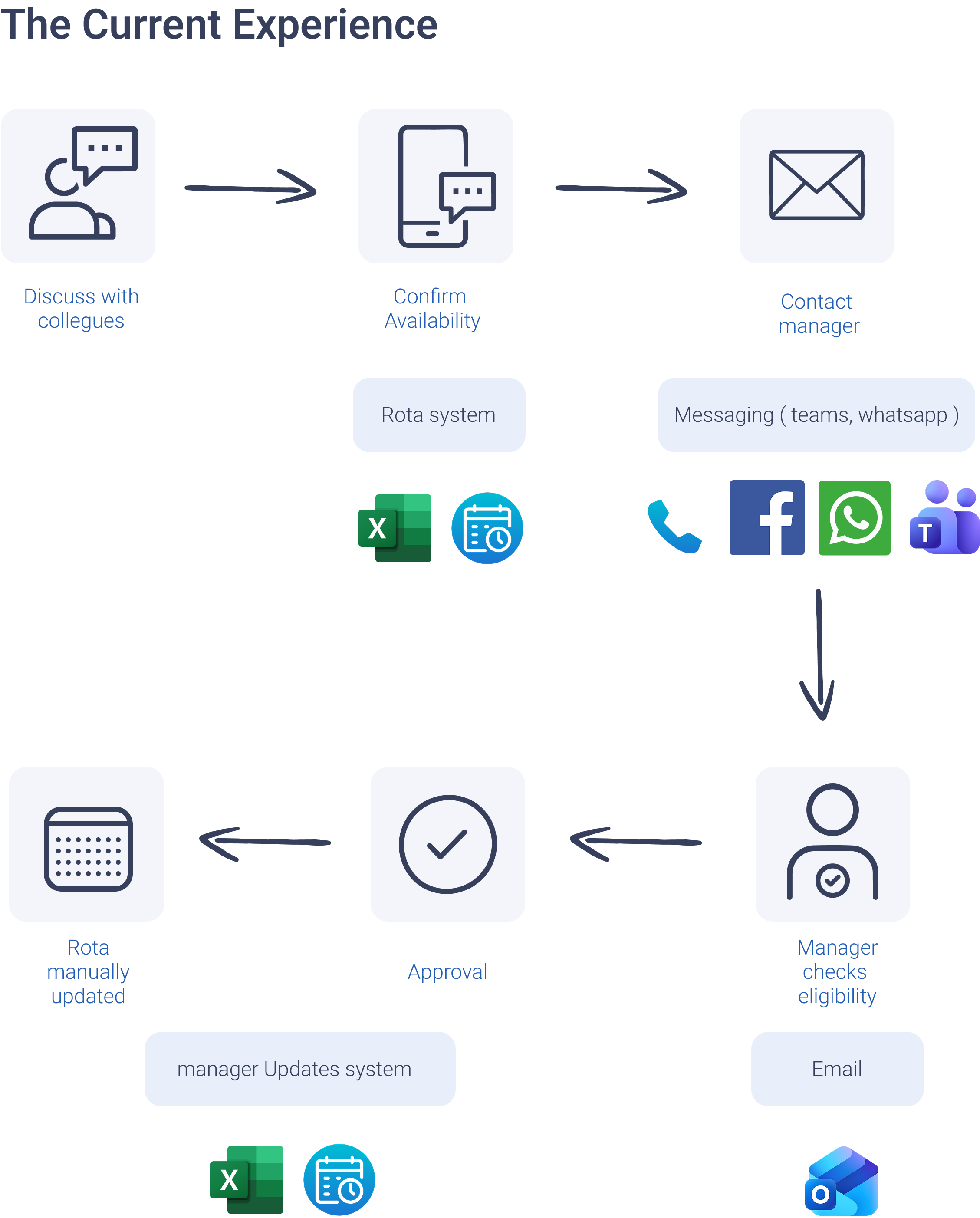
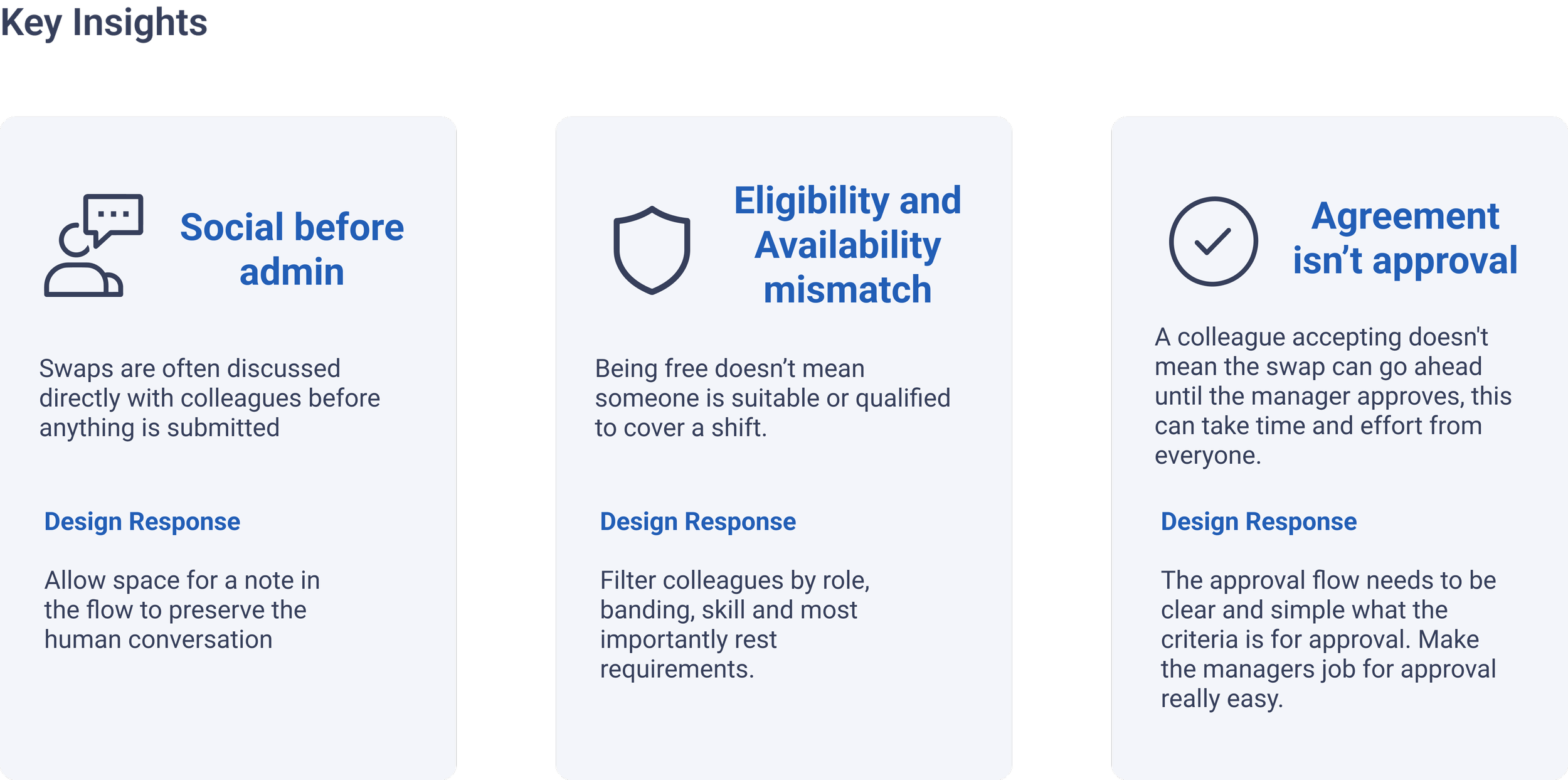
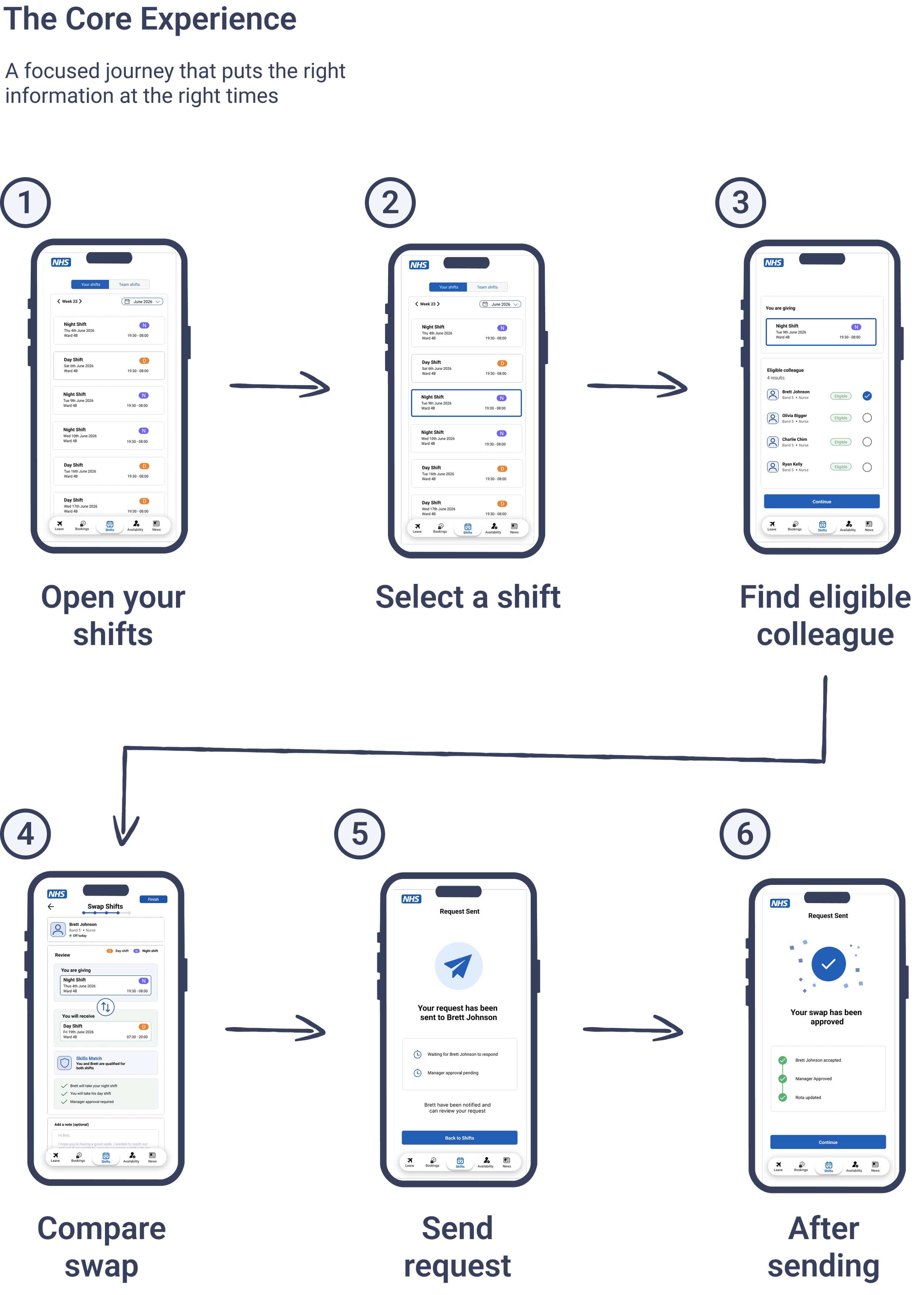
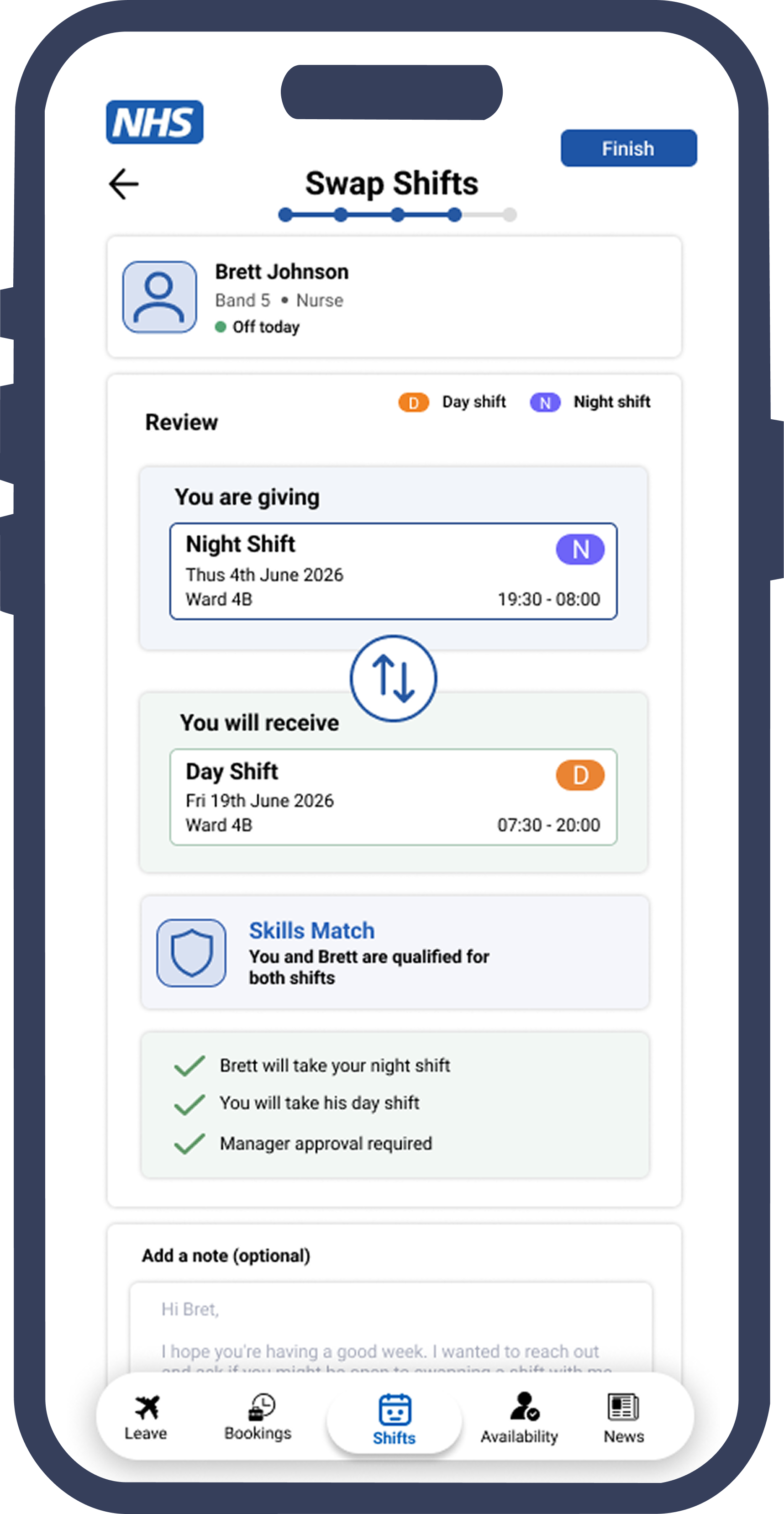
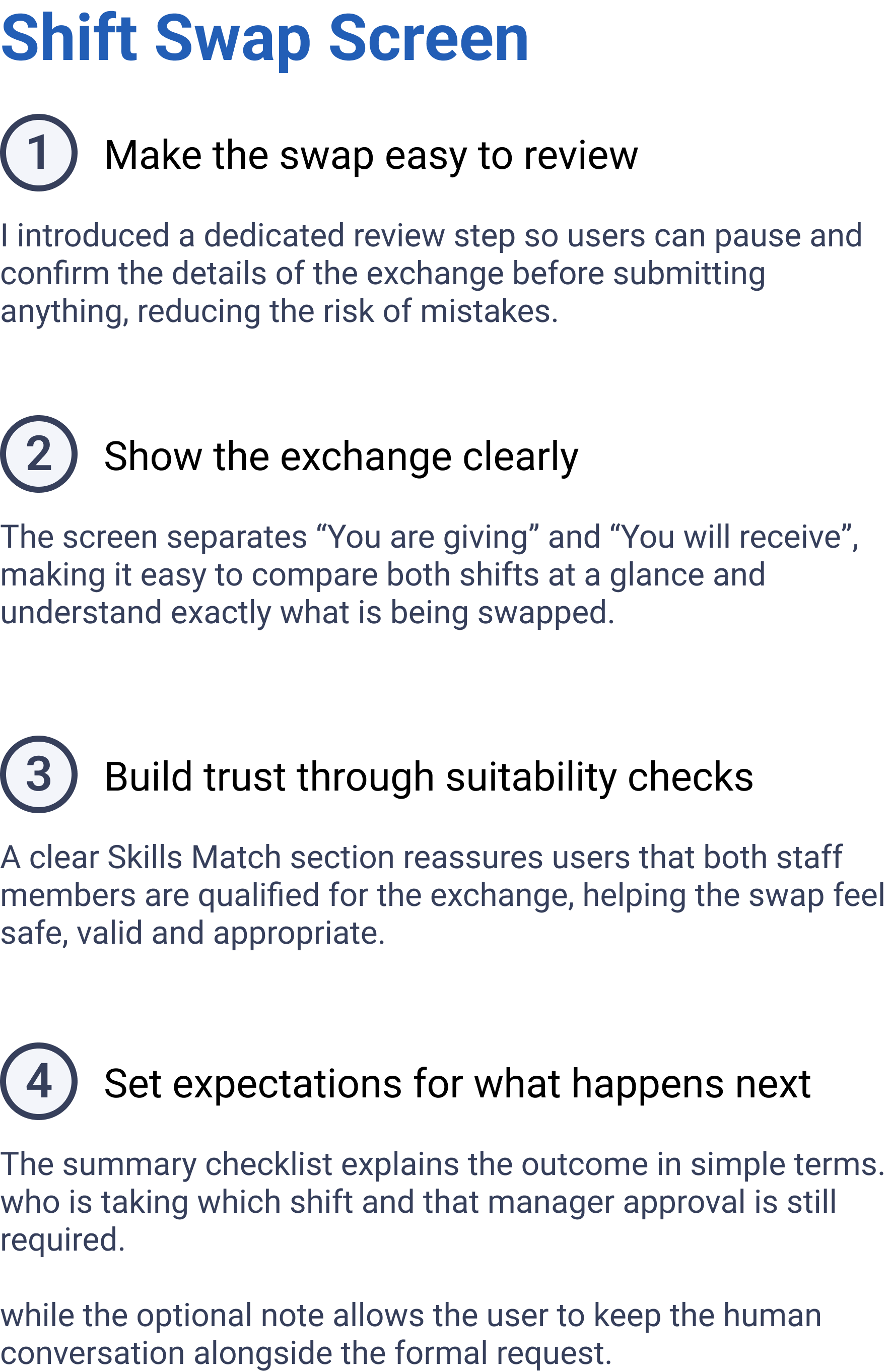
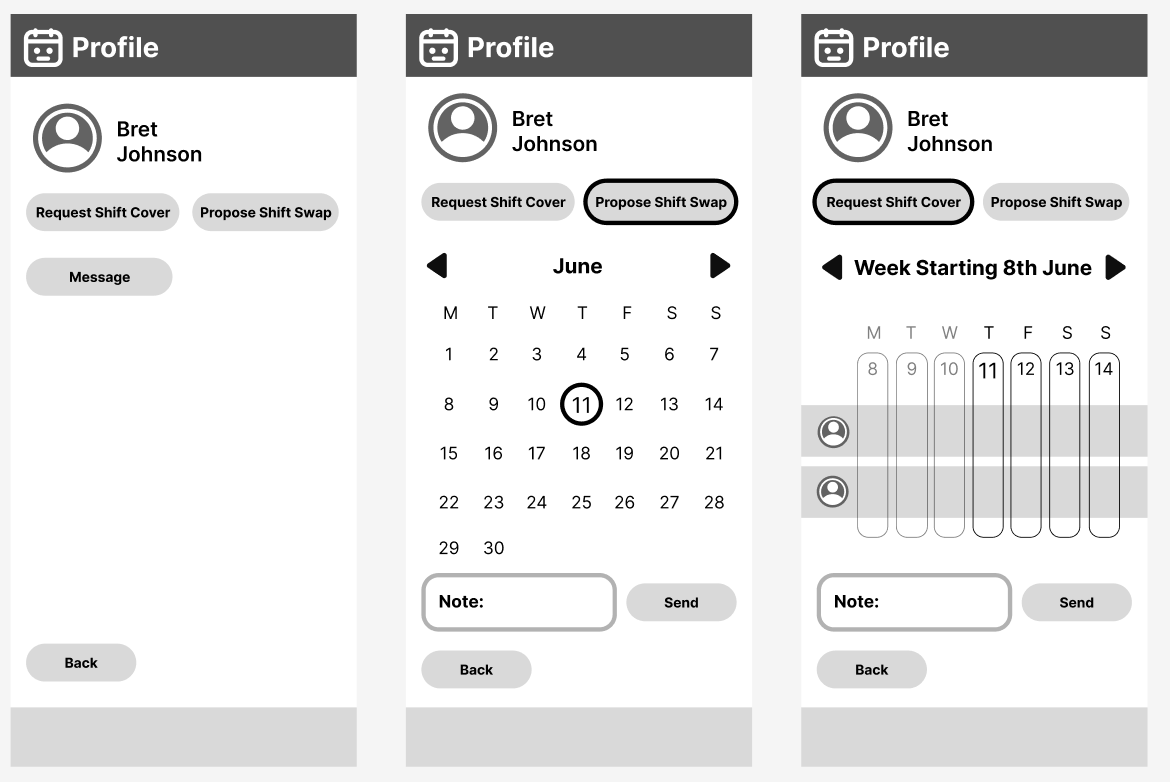
To reduce cognitive load, the shift swap experience breaks the process into clear, manageable steps supported by a progress indicator. Research conversations with NHS staff revealed that shift swaps often happen across multiple systems, with informal conversations through Microsoft Teams playing a key role in arranging swaps. To reflect this behaviour,I introduced an optional note field, enabling staff to provide context and maintain the human element of the process while keeping requests within a structured workflow.
Edge Cases & Operational Considerations
No suitable colleague available
If no appropriate colleague can be identified within the user’s team, the request can be extended to neighbouring hospitals and partner organisations to increase the pool of available staff.
Manager rejection
All accepted shift swaps remain subject to managerial approval. If a request is rejected, both parties are notified and the original rota remains unchanged.
Skill mismatch.
Patient safety was prioritised throughout the workflow. Staff who do not possess the required qualifications, banding or certifications are unable to progress through the swap process, preventing unsuitable requests from being submitted.